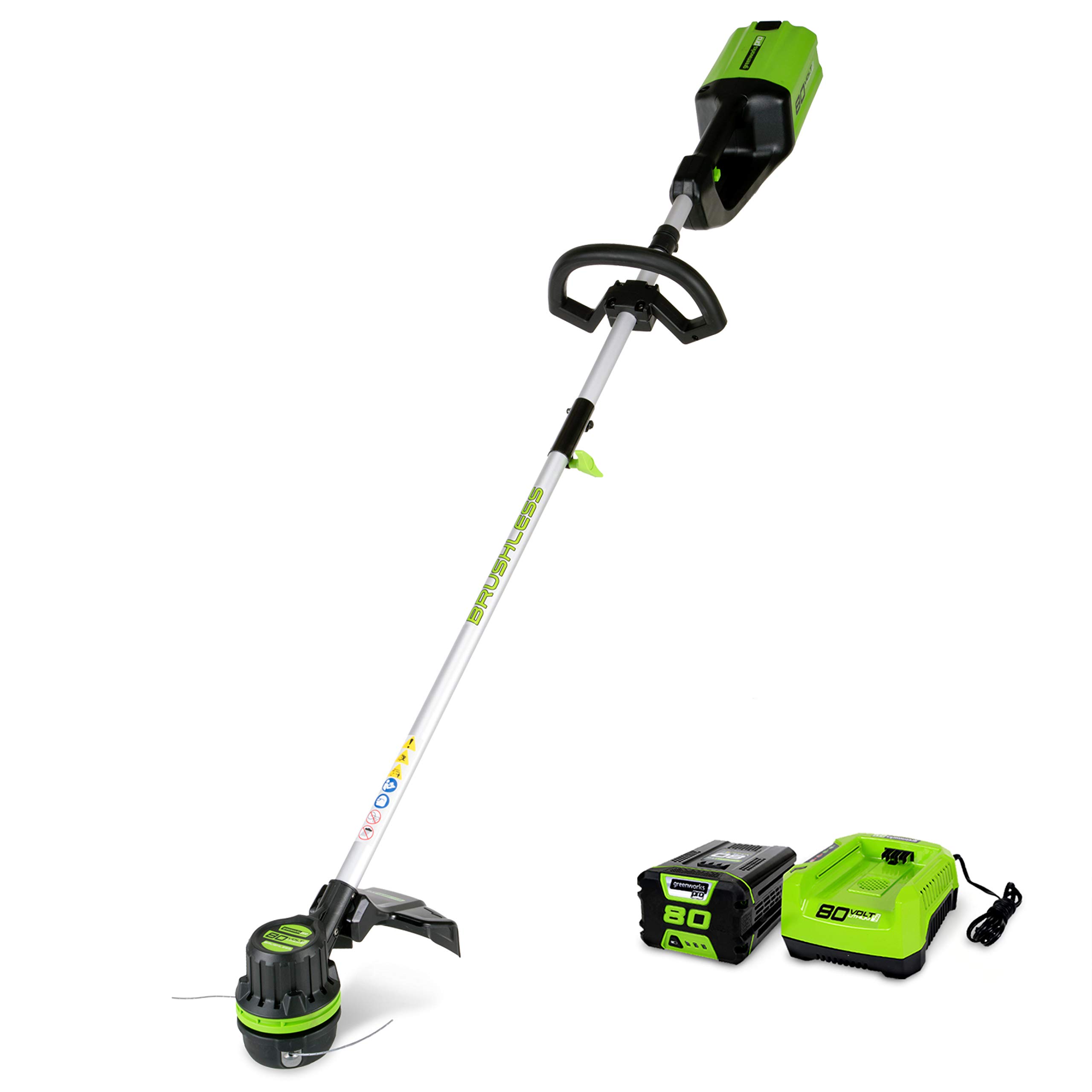
Your battery trimmer may have stopped working due to a dead battery or a faulty connection. Check these components first.
Battery-powered trimmers are convenient tools for maintaining your garden. Yet, they can sometimes stop working unexpectedly. Understanding the potential reasons behind this issue can save you time and frustration. A dead battery is a common culprit, often due to prolonged use or improper charging.
Faulty connections within the trimmer can also hinder its operation. Regular maintenance and proper charging practices can extend the lifespan of your trimmer. If basic troubleshooting doesn’t help, consulting the user manual or seeking professional repair services might be necessary. Keeping your trimmer in top condition ensures that your garden remains well-kept and tidy.
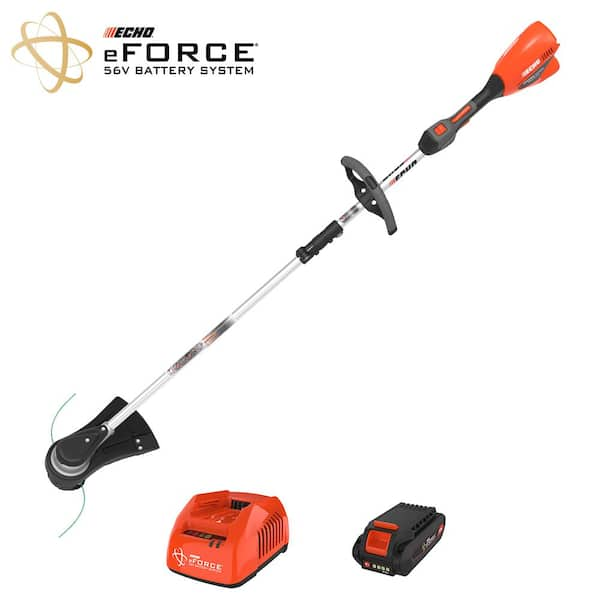
Credit: www.homedepot.com
Common Reasons For Battery Trimmer Failure
Your battery trimmer stopped working? This can be frustrating. Understanding why it failed helps you fix it. Below, explore the most common reasons for battery trimmer failure.
Power Issues
Battery problems often cause trimmer failure. Check if the battery is charged. Sometimes, the battery may not hold a charge. This means it needs a replacement.
- Inspect the battery connections. They should be clean and tight.
- Use a multimeter to check the battery voltage.
- If voltage is low, replace the battery.
Another common issue is the charger. Ensure the charger is working properly. Plug it into a different outlet. If the charger is faulty, get a new one.
Mechanical Problems
Blocked blades are another frequent cause. Grass or debris can clog the blades. Clean the trimmer blades regularly.
- Turn off and unplug the trimmer.
- Remove any debris from the blades.
- Check for any visible damage.
Worn-out parts can also lead to failure. Check the trimmer head and shaft. Look for wear and tear. Replace any damaged parts promptly.
A broken switch may stop the trimmer from working. Test the switch with a multimeter. If the switch is faulty, replace it.
| Common Issues | Possible Solutions |
|---|---|
| Battery not charging | Replace the battery |
| Debris in blades | Clean the blades |
| Broken switch | Replace the switch |
Power Supply Check
Has your battery trimmer stopped working? It might be due to power supply issues. Checking the power supply is crucial. It involves looking at the battery charge and charger functionality.
Battery Charge
First, check the battery charge. A low battery can cause your trimmer to stop working. Follow these steps to check the battery:
- Remove the battery from the trimmer.
- Look at the battery’s charge indicator.
- If the indicator shows low or no charge, charge the battery.
Make sure the battery is fully charged before using the trimmer again.
Charger Functionality
Next, ensure the charger is working properly. A faulty charger can prevent the battery from charging. Here’s how to check the charger:
- Plug the charger into a power outlet.
- Connect the battery to the charger.
- Look for any indicator lights on the charger.
If there are no lights or strange blinking, the charger might be broken. Try using a different charger if possible.
Below is a quick reference table for common power supply issues:
| Issue | Solution |
|---|---|
| Battery not charging | Check charger and power outlet |
| Battery charge low | Charge battery fully |
| No indicator lights | Test with another charger |
By following these steps, you can identify and fix power supply issues. This will help get your battery trimmer working again.
Inspecting The Battery
Your battery trimmer has stopped working. The first thing you should do is inspect the battery. A faulty battery can cause many issues. This section will guide you through the steps to check the battery.
Battery Life
The battery life of your trimmer can affect its performance. Check how long you have been using the battery. Most batteries have a specific lifespan. If the battery is old, it might need a replacement.
Use a multimeter to measure the battery voltage. Compare the reading with the recommended voltage. If the reading is low, the battery might be dead. A dead battery needs to be replaced.
| Battery Age | Voltage Reading | Action Required |
|---|---|---|
| New | Full Voltage | No Action |
| 1-2 Years | Reduced Voltage | Consider Replacement |
| 3+ Years | Low Voltage | Replace Battery |
Connection Points
Inspect the connection points between the battery and the trimmer. These points should be clean and free of debris. Dirt or corrosion can affect the connection.
Follow these steps to clean the connection points:
- Turn off the trimmer.
- Remove the battery.
- Use a soft brush to clean the contacts.
- Reinsert the battery and test the trimmer.
If the trimmer still does not work, the issue might be elsewhere. But a clean connection often solves the problem.
Motor And Wiring Examination
When your battery trimmer stops working, it can be frustrating. One common cause might be issues with the motor or wiring. These parts are crucial for the trimmer’s operation. Examining them can help identify the problem.
Motor Health
The motor is the heart of your trimmer. A faulty motor can stop it from working. To check the motor, follow these steps:
- Remove the trimmer’s casing carefully.
- Inspect the motor for any visible damage.
- Ensure no debris is blocking the motor.
- Test the motor with a multimeter for electrical continuity.
If the motor shows any signs of damage or fails the continuity test, it might need replacing. Always use the manufacturer’s guidelines for repairs.
Wire Connections
Wire connections are another critical component. Loose or damaged wires can disrupt the power flow. To examine the wire connections:
| Step | Action |
|---|---|
| 1 | Open the trimmer casing. |
| 2 | Look for any loose or disconnected wires. |
| 3 | Check for damaged or frayed wires. |
| 4 | Ensure all connections are secure. |
If you find any loose or damaged wires, reconnect or replace them as necessary. Ensure all connections are tight to maintain a steady power supply.
Blade Maintenance
Maintaining your battery trimmer’s blade is crucial for optimal performance. Poor blade maintenance can cause your trimmer to stop working. Let’s explore key aspects of blade maintenance.
Blade Sharpness
A dull blade can reduce the efficiency of your trimmer. Sharp blades cut grass cleanly, preventing damage to the plants.
- Check the blade’s sharpness regularly.
- Use a sharpening stone to hone the blade.
- Replace the blade if it’s too worn out.
Keeping the blade sharp ensures a smooth and clean cut. This also reduces the strain on the trimmer’s motor.
Debris Removal
Debris can clog the blade and motor area. Removing debris regularly is essential for the trimmer’s functionality.
- Turn off the trimmer before cleaning.
- Use a brush to remove grass and dirt.
- Inspect the blade area for stuck debris.
Regularly removing debris helps maintain the efficiency of your trimmer. It also prevents the motor from overheating.

Credit: www.amazon.com
Switch And Trigger Analysis
Understanding why your battery trimmer has stopped working can be a puzzle. One crucial area to inspect is the switch and trigger. These components play a significant role in the functionality of your trimmer. Let’s dive into the switch function and trigger response to diagnose the issue.
Switch Function
The switch is the main control point for your trimmer. It’s responsible for turning the device on and off. Over time, dirt and debris can build up around the switch. This can cause it to malfunction.
To check the switch function, follow these steps:
- Ensure the trimmer is turned off and remove the battery.
- Inspect the switch area for any visible dirt or damage.
- Use a small brush or compressed air to clean around the switch.
- Reinsert the battery and try turning the trimmer on.
If the switch still doesn’t work, it might need replacement. Consult the user manual for guidance.
Trigger Response
The trigger controls the speed of the trimmer. A faulty trigger can result in the trimmer not working. Check the trigger for any signs of wear or damage.
To assess the trigger response, you can:
- Ensure the trimmer is off and remove the battery.
- Press the trigger multiple times to see if it moves smoothly.
- Listen for any unusual sounds, like clicking or grinding.
If the trigger feels stiff or makes noises, it might be stuck. Cleaning it with a small brush can help. If the trigger is broken, replacing it might be necessary.
Below is a quick comparison table for common switch and trigger issues:
| Issue | Possible Cause | Solution |
|---|---|---|
| Trimmer won’t turn on | Dirty switch | Clean switch area |
| Trimmer stops suddenly | Faulty trigger | Inspect and clean trigger |
| Unresponsive switch | Switch damage | Replace switch |
| Trigger makes noise | Debris in trigger | Clean trigger mechanism |
By analyzing the switch and trigger, you can identify common issues. This will help get your battery trimmer back in working order.
Environmental Factors
Environmental factors can significantly impact the performance of your battery trimmer. Understanding these factors can help you maintain your trimmer better. The most common environmental factors include weather conditions and storage issues. Let’s delve into these aspects to uncover why your battery trimmer might have stopped working.
Weather Conditions
Weather conditions play a crucial role in your battery trimmer’s performance. Extreme temperatures can damage the battery. Both high heat and cold can affect battery efficiency.
- High Heat: High temperatures can cause the battery to overheat. This reduces its lifespan and effectiveness.
- Cold: Cold weather can make the battery lose charge quickly. It can also cause permanent damage over time.
To avoid issues, use your trimmer in moderate weather. Store the battery in a climate-controlled area.
Storage Issues
Improper storage is another major factor that affects your battery trimmer. Keeping the trimmer in a damp or dusty place can lead to problems.
- Moisture: Moisture can cause the battery to corrode. This leads to poor performance and potential failure.
- Dust: Dust can clog the trimmer’s parts. This makes the motor work harder and reduces battery life.
Store your trimmer in a dry, clean place. Keep it away from direct sunlight and extreme temperatures.
| Environmental Factor | Impact on Battery |
|---|---|
| High Heat | Overheating, reduced lifespan |
| Cold | Quick charge loss, permanent damage |
| Moisture | Corrosion, poor performance |
| Dust | Clogs parts, reduces battery life |
By understanding these environmental factors, you can take steps to prolong your battery trimmer’s life. Proper care and storage are key to maintaining its performance.
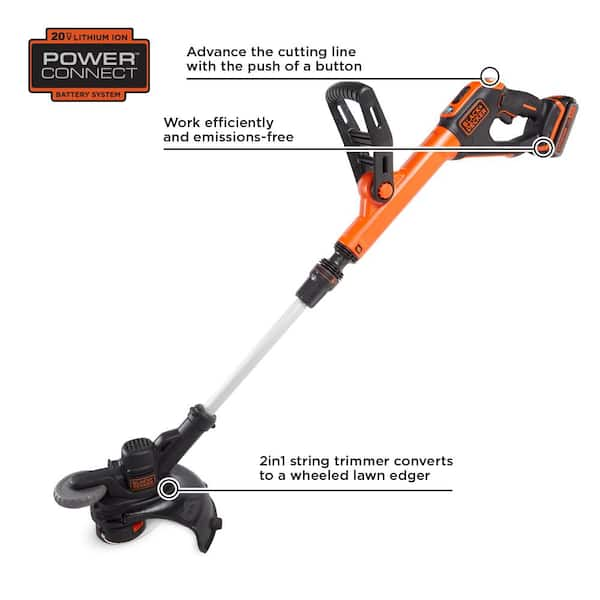
Credit: www.homedepot.com
Professional Help
Sometimes, your battery trimmer stops working despite your best efforts. In such cases, seeking professional help can save time and effort. Professionals have the skills and tools to diagnose and fix issues quickly.
When To Seek Experts
Knowing when to seek help is crucial. If your trimmer shows these signs, it’s time to call a professional:
- Battery not charging
- Motor making unusual noises
- Trimmer head not rotating
- Frequent overheating
Professionals can identify the exact cause and provide a reliable solution.
Cost Considerations
Professional services come with costs. It’s important to weigh the costs against the benefits. Here’s a simple table to help you understand potential expenses:
| Service Type | Estimated Cost |
|---|---|
| Battery Replacement | $20 – $50 |
| Motor Repair | $30 – $70 |
| General Maintenance | $15 – $40 |
Consider these costs before deciding on professional help. Sometimes, repairs can extend the lifespan of your trimmer, making it a worthy investment.
Frequently Asked Questions
Why Did My Electric Trimmer Just Stop Working?
Your electric trimmer may have stopped due to a dead battery, clogged blades, or a faulty power connection. Check these issues first.
Why Won’t My Battery Trimmer Start?
Your battery trimmer might not start due to a dead battery, loose connections, or a faulty charger. Check and charge the battery fully. Ensure all connections are secure. If issues persist, consult the user manual or contact customer support.
Why Is My Cordless Strimmer Not Working?
Your cordless strimmer might not work due to a dead battery, faulty charger, or clogged debris. Check connections and clean the tool.
How Long Do Battery Trimmers Last?
Battery trimmers typically last 30 minutes to an hour per charge. The lifespan depends on the model and usage.
Conclusion
Regular maintenance can prevent most battery trimmer issues. Always check connections, batteries, and blades. If problems persist, consult the manual or contact customer service. Taking these steps ensures your trimmer stays efficient and reliable. Keep your equipment in top shape for a flawless gardening experience.