
Are you tired of struggling with a dirty Panasonic trimmer? Does the thought of cleaning it seem like a daunting task? Well, fret no more! In this guide, we will walk you through step-by-step instructions on how to effectively and efficiently clean your Panasonic trimmer, ensuring it stays in optimal condition for years to come. Whether you are a seasoned trimmer user or a beginner, this article will provide you with all the necessary knowledge and techniques to keep your trimmer looking and performing at its best.
Maintaining a clean and sanitized trimmer is not only important for its longevity but also for your personal hygiene. A dirty trimmer can harbor bacteria and germs, leading to skin irritations and infections. By regularly cleaning your Panasonic trimmer, you not only ensure its longevity but also keep your skin healthy and free from any potential risks.
So, grab your trimmer and let’s dive into the world of effective cleaning methods that will leave your Panasonic trimmer looking brand new and ready for your next grooming session.
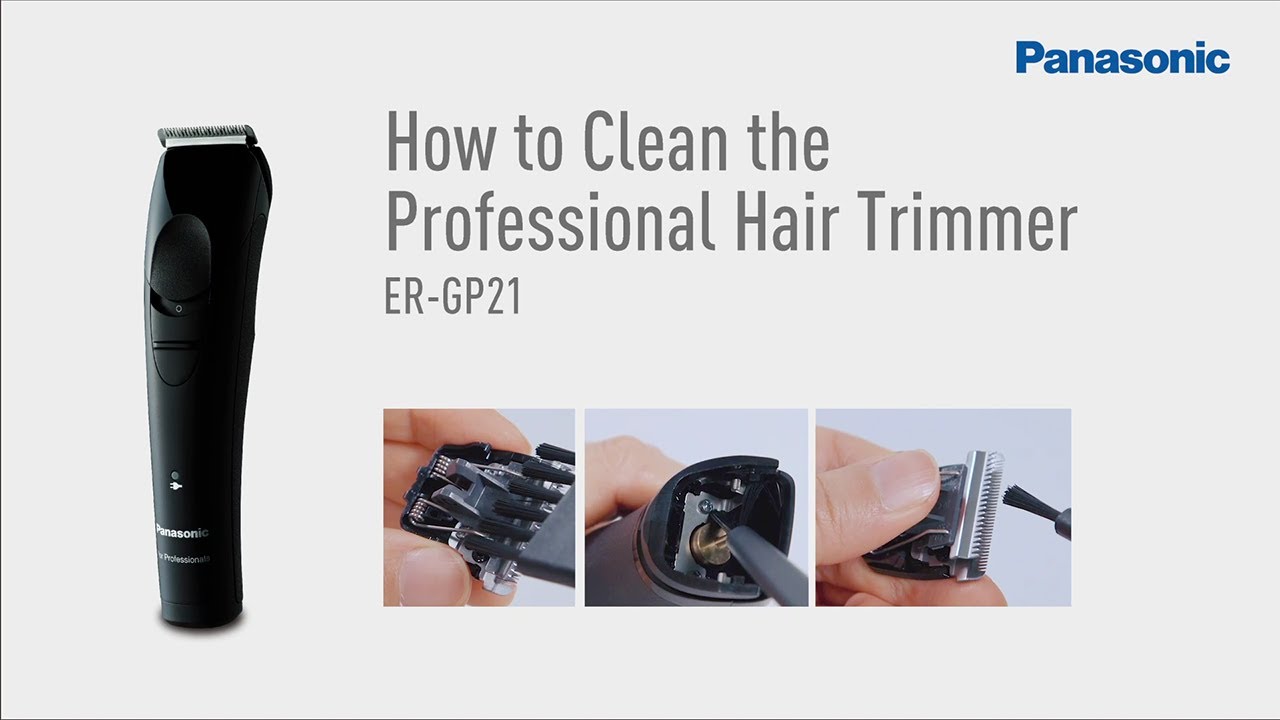
How to clean Panasonic trimmer:
- Remove the trimmer head from the main unit.
- Use a small brush or toothbrush to remove any hair or debris from the trimmer head.
- Rinse the trimmer head under running water to remove any remaining residue.
- Allow the trimmer head to dry completely before reattaching it to the main unit.
- Regularly oil the trimmer blades to keep them functioning smoothly.
Source: ytimg.com
How to Clean Your Panasonic Trimmer: Step-by-Step Guide
Cleaning your Panasonic trimmer regularly is essential to ensure its optimal performance and longevity. By following these simple steps, you can keep your trimmer in excellent condition and enjoy precise and comfortable grooming every time.
Step 1: Gather the necessary materials
Before you start cleaning your Panasonic trimmer, gather the following materials:
- A soft brush or toothbrush
- Mild liquid soap or trimmer cleaning solution
- A small container or bowl
- A clean cloth or towel
Having these items ready will make the cleaning process more convenient and efficient.
Step 2: Disassemble the trimmer
Start by turning off your Panasonic trimmer and unplugging it from the power source. Remove any detachable attachments or comb guides. Carefully detach the trimmer head from the main body by following the manufacturer’s instructions. This will allow you to access the cutting blades and other important parts that need cleaning.
Pro tip: Refer to your Panasonic trimmer’s user manual for specific disassembly instructions if you are not familiar with the process.
Step 3: Clean the detachable attachments
If your Panasonic trimmer came with detachable attachments, such as comb guides, clean them separately. Rinse them under warm running water to remove any hair or debris. Use a mild liquid soap or trimmer cleaning solution to gently scrub the attachments with a soft brush or toothbrush. Rinse thoroughly and let them air dry before reattaching them to the trimmer.
Step 4: Clean the trimmer head
Now that you have disassembled the trimmer head, it’s time to clean the cutting blades and other components. Fill a small container or bowl with warm water and add a few drops of mild liquid soap or trimmer cleaning solution. Submerge the trimmer head in the solution and let it soak for a few minutes. This will help to loosen any dirt or residue.
Next, use a soft brush or toothbrush to gently scrub the blades, removing any remaining hair or debris. Pay special attention to hard-to-reach areas and ensure that all visible dirt is removed. Rinse the trimmer head under running water to remove the cleaning solution and any loosened dirt.
Step 5: Dry and reassemble
After cleaning, use a clean cloth or towel to dry the detachable attachments and the trimmer head thoroughly. Make sure they are completely dry before reassembling the trimmer. Once dry, carefully reattach the trimmer head to the main body, ensuring that it locks securely.
Pro tip: Before using the trimmer again, it’s a good idea to apply a few drops of trimmer oil to the blades. This will help lubricate the moving parts and prevent rusting.
Step 6: Regular maintenance
To keep your Panasonic trimmer in optimal condition, it’s important to perform regular maintenance. This includes cleaning the trimmer after each use, removing any hair or debris from the blades and attachments. Additionally, oiling the blades periodically will help maintain their sharpness and prevent any potential damage.
Remember to always refer to the user manual provided by Panasonic for specific instructions on cleaning and maintenance, as different models may have slightly different requirements.
Step 7: Store properly
Finally, after cleaning and maintenance, store your Panasonic trimmer in a clean and dry place. Avoid exposing it to excessive moisture or extreme temperatures, as this can damage the device. Keeping it in a protective case or pouch is also a good idea to prevent any accidental damage.
By following these steps and practicing regular cleaning and maintenance, you can ensure that your Panasonic trimmer remains in excellent working condition, providing you with precise and comfortable grooming for years to come.
Frequently Asked Questions
Here are some commonly asked questions about how to clean a Panasonic trimmer.
How often should I clean my Panasonic trimmer?
It is recommended to clean your Panasonic trimmer after every use to ensure optimal performance and hygiene. Regular cleaning prevents hair and debris from accumulating in the trimmer blades, which can affect its cutting ability and cause discomfort during use.
To clean your trimmer, detach the cutting head and use a small brush to remove any hair or debris. You can also rinse the cutting head under running water, but make sure it is completely dry before reattaching it to the trimmer body.
Can I use water to clean my Panasonic trimmer?
Yes, you can use water to clean your Panasonic trimmer. Most Panasonic trimmers are waterproof and designed to be rinsed under running water for easy cleaning. However, it is important to refer to the user manual of your specific model to ensure it is indeed water-resistant.
Before cleaning with water, make sure to detach the cutting head from the trimmer body and remove any hair or debris using a brush. Rinse the cutting head under running water, ensuring that all the hair and debris are flushed out. Allow the trimmer to air dry completely before reassembling it.
Can I use soap or other cleaning agents to clean my Panasonic trimmer?
It is generally not recommended to use soap or other cleaning agents to clean your Panasonic trimmer. Water alone is sufficient to remove most hair and debris. Using soap or cleaning agents may damage the trimmer’s internal components or affect its performance.
If you find it necessary to use a cleaning agent, refer to the user manual of your trimmer for any specific recommendations. In such cases, ensure that the cleaning agent is suitable for use with electronic devices and thoroughly rinse the trimmer after cleaning to remove any residue.
How do I clean the trimmer blades of my Panasonic trimmer?
To clean the trimmer blades of your Panasonic trimmer, start by detaching the cutting head from the trimmer body. Use a small brush, such as a toothbrush or a cleaning brush provided with the trimmer, to gently remove any hair or debris from the blades. Be cautious not to apply excessive force or damage the delicate blades.
If the blades are particularly dirty or have residue buildup, you can rinse them under running water. However, ensure that the blades are completely dry before reattaching the cutting head to the trimmer body. Moisture left on the blades can lead to rust or damage the trimmer.
How do I maintain the performance of my Panasonic trimmer?
To maintain the performance of your Panasonic trimmer, regular cleaning is essential. After each use, remove any hair or debris from the trimmer blades using a small brush. If necessary, rinse the cutting head under running water and allow it to dry completely before reassembling.
In addition to cleaning, it is also important to lubricate the trimmer blades regularly. Refer to the user manual for any specific instructions on lubrication. Using a recommended lubricant or oil, apply a small amount to the blades to ensure smooth operation and prevent any potential rust or corrosion.
Panasonic – Shaving and Grooming – ER-BG80S, ER-GC63H – How to clean the trimmer and clipper.
Final Words:
In conclusion, learning how to clean your Panasonic trimmer is an essential step in maintaining its performance and longevity. By following the simple steps outlined in this guide, you can ensure that your trimmer remains in pristine condition, providing you with precise and efficient grooming results for years to come.
Remember, regular cleaning and maintenance not only prevent clogging and dulling of the blades but also help eliminate any bacteria or dirt buildup that may result in skin irritation. By incorporating these cleaning techniques into your grooming routine, you can keep your Panasonic trimmer running smoothly and effectively, allowing you to achieve that well-groomed look effortlessly. So, take the time to clean your trimmer regularly, and enjoy a hassle-free grooming experience every time.
